At LingoCulture, we want to keep you informed about your classes without overwhelming your inbox. Restez informe! (Stay informed!)
Where to Find Your Notifications
-
Log in to your account at web.lingoculture.com
-
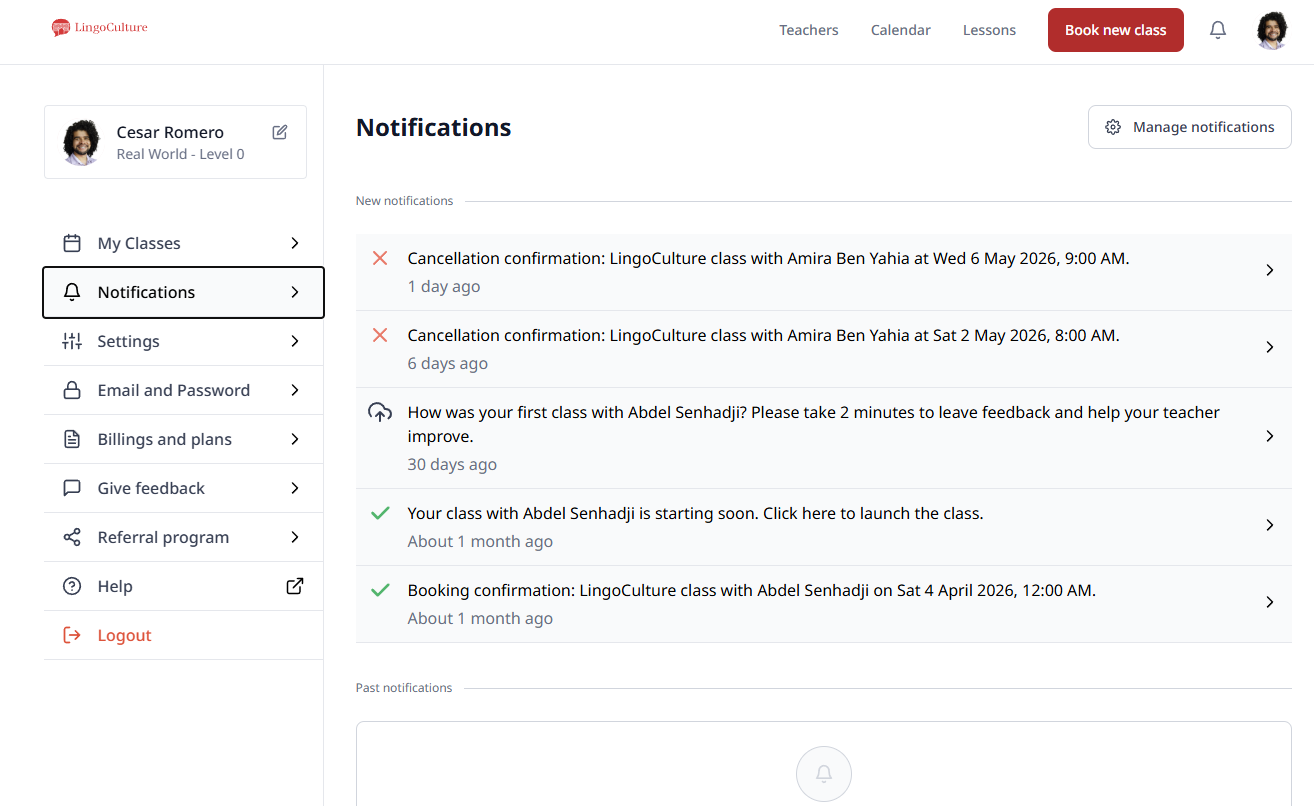
Click on your profile icon and select "Notifications" from the left-hand menu
In this section, you will see a list of your past notifications, including booking confirmations, class reminders, and requests for teacher feedback.
Customizing Your Alert Settings
-
Click the "Manage notifications" button at the top right of the Notifications page
-
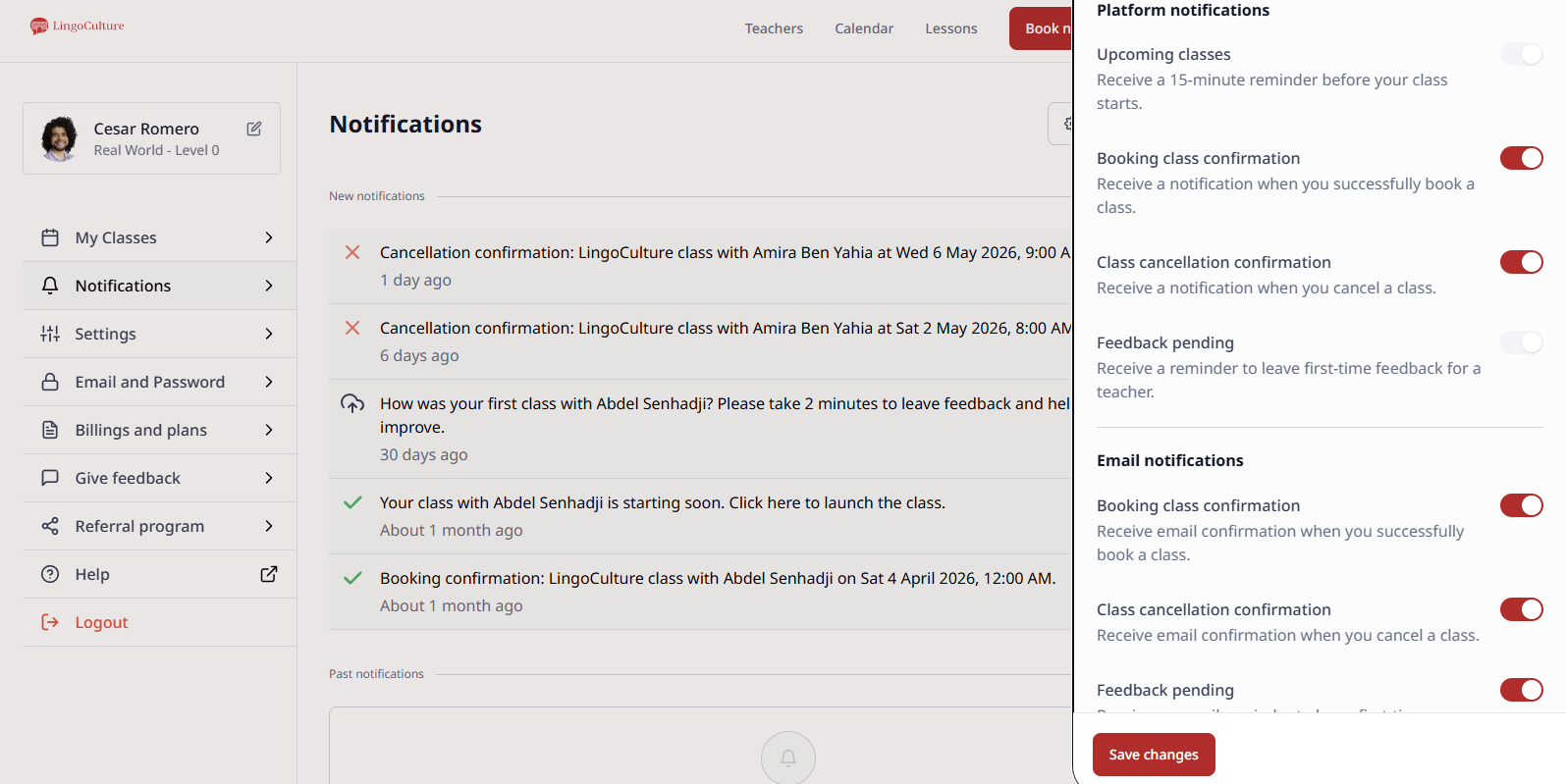
A sidebar will appear with two sections: Platform notifications and Email notifications
-
Use the toggle switches to turn specific alerts on or off
Available settings include:
-
Upcoming classes: Receive a 15-minute reminder before your class starts
-
Booking confirmations: Get an alert when you successfully book a session
-
Class cancellations: Get notified if a class is cancelled
-
Feedback pending: Reminders to leave a review for your teacher
A Note on Email Communication
About 80% of our communication with students happens over email. This includes vital updates about your subscription, technical alerts, and holiday schedules.
Don't Forget to Save
Once you have adjusted your toggles to your liking, make sure to click the red "Save changes" button at the bottom of the sidebar.
Still need help?
-
Talk to us: Click the Chat Bubble in the bottom right corner or email bonjour@lingoculture or [email protected].