Whether you absolutely loved your class or felt there was room for improvement, we want to hear from you! Partagez votre avis! (Share your opinion!)
How to Leave Feedback
Option 1: From Your Class History
-
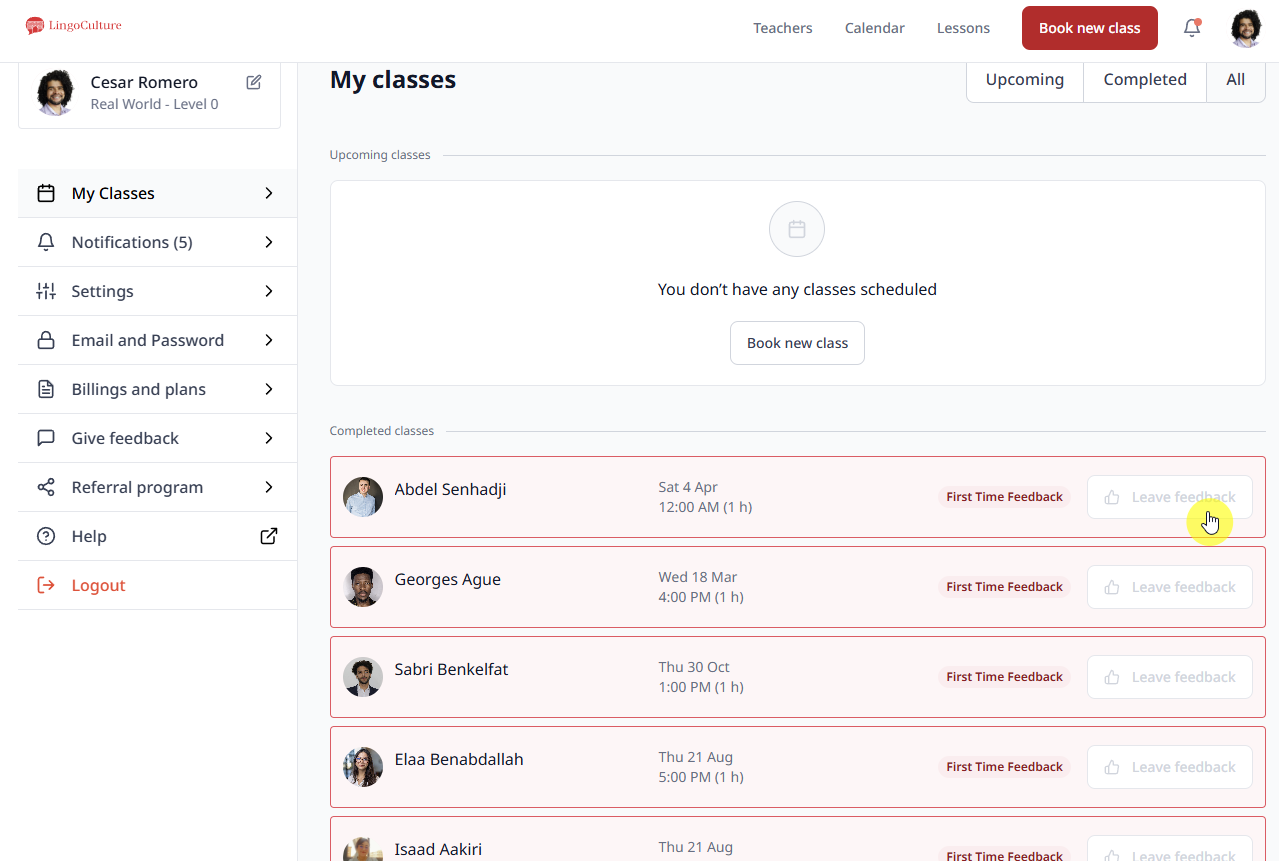
Go to your profile and click "My Classes"
-
Find the class marked "Completed"
-
Click the "Leave Feedback" button on the right
Option 2: From the Teacher's Profile
-
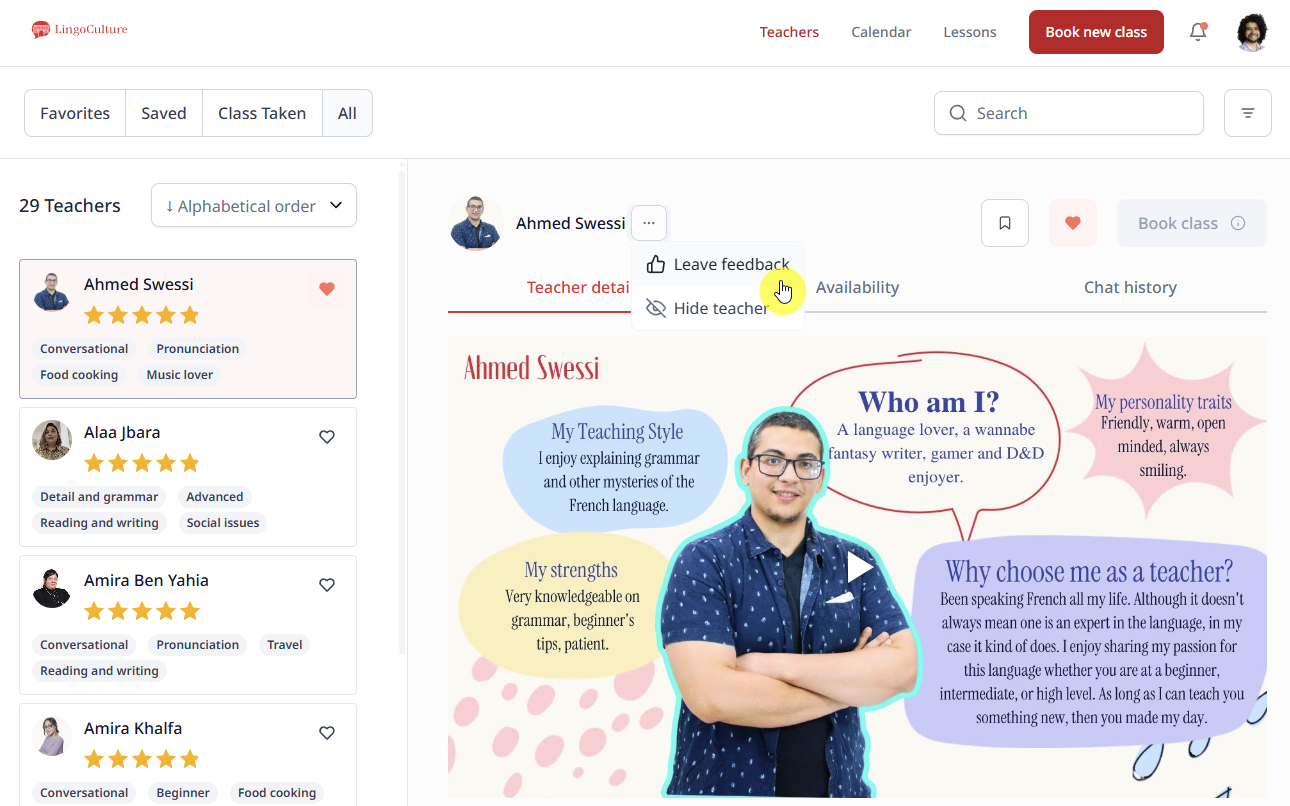
Go to "Teachers" (top right corner)
-
Select the teacher
-
Click the three dots (...) next to their name
-
Choose "Leave Feedback"
What's in the Feedback Form?
-
They made the class enjoyable
-
They are good at teaching
-
Their wifi, audio, and video was good
-
They understood what I wanted
-
I would take class with them again
-
Open comment section: Any suggestions? How do you rate the class?
Is Feedback Anonymous?
Yes! Your feedback is anonymous to teachers. They see the comments but never your name. This lets you be completely honest without worry.
Important Details
-
One feedback per class: you can't submit multiple feedbacks for the same class
-
Feedback is final once submitted: review it carefully before clicking "Submit"!
-
The feedback option stays available indefinitely, but we recommend leaving it soon while the experience is fresh
-
For urgent or serious issues, contact support directly via chat or email instead of using the feedback form
Common Questions
Q: Will the teacher know I left feedback?
A: Teachers know they received feedback, but not from whom. It's anonymous!
Q: Does negative feedback affect my account?
A: Never! You can be honest without consequences.
Q: Should I leave feedback after my trial class?
A: Yes! First impressions help us understand what new students need.
Merci pour votre feedback! We truly appreciate you taking the time to share💙
Still need help?
-
Talk to us: Click the Chat Bubble in the bottom right corner or email bonjour@lingoculture or [email protected].