Whether you absolutely loved your class or felt there was room for improvement, we want to hear from you. Feedback is one of the most powerful tools we have to grow, adapt, and support both students and teachers.

Why Feedback Matters
Your experience helps us:
- Celebrate what’s working
- Improve what’s not
- Support teachers with real, actionable insights
- Keep our standards high and our hearts open
We encourage feedback of all kinds: positive, constructive, neutral. Whether it’s your first comment or your fifteenth, there’s no limit to how much you can share or how often.
How to Leave Feedback:
There are two easy ways to do it:
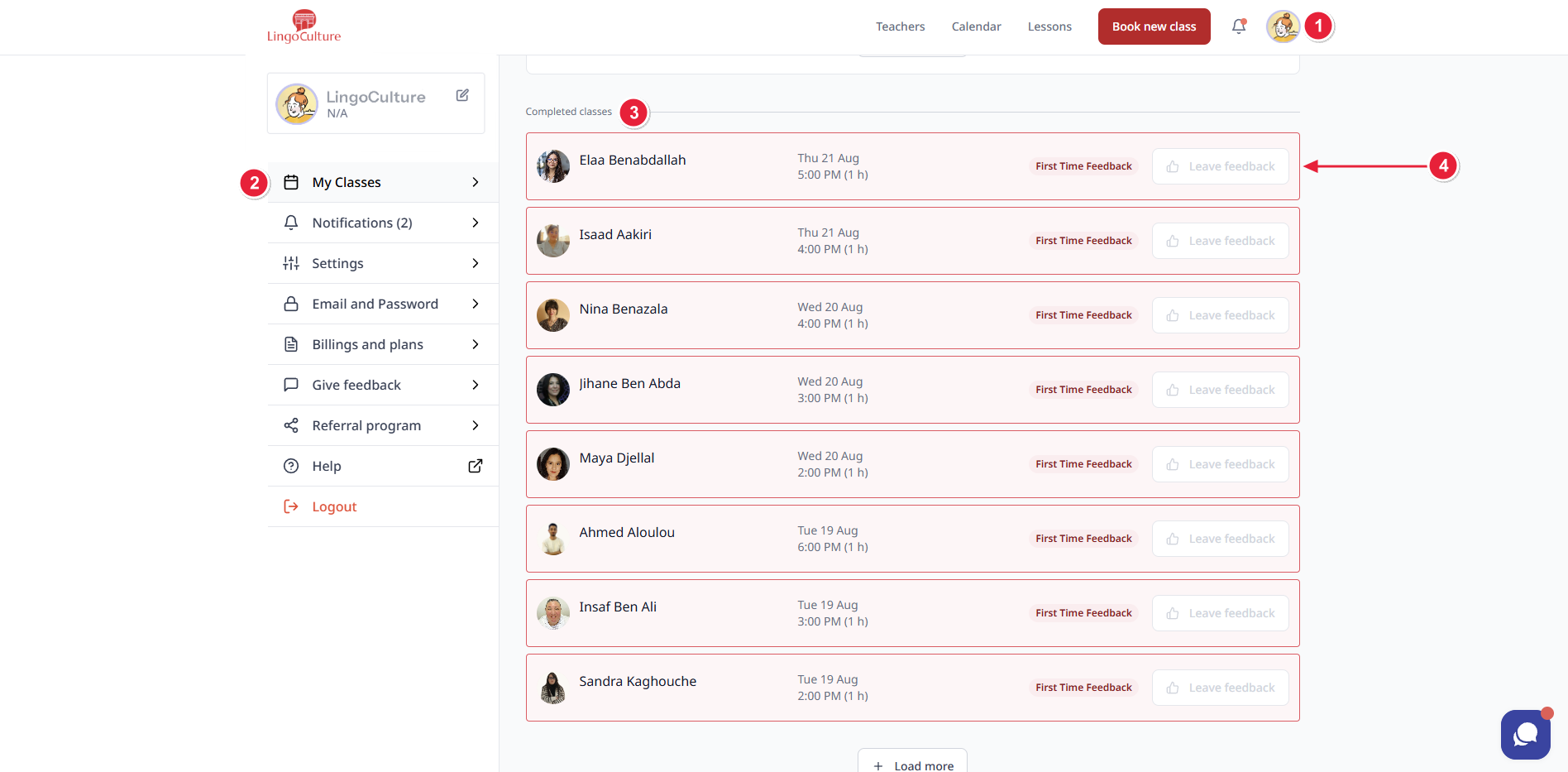
Option 1: After Class
- Go to your profile.
- Click on “My Classes.”
- Scroll down to find the class marked “Completed.”
- On the right side, click the “Leave Feedback” button.
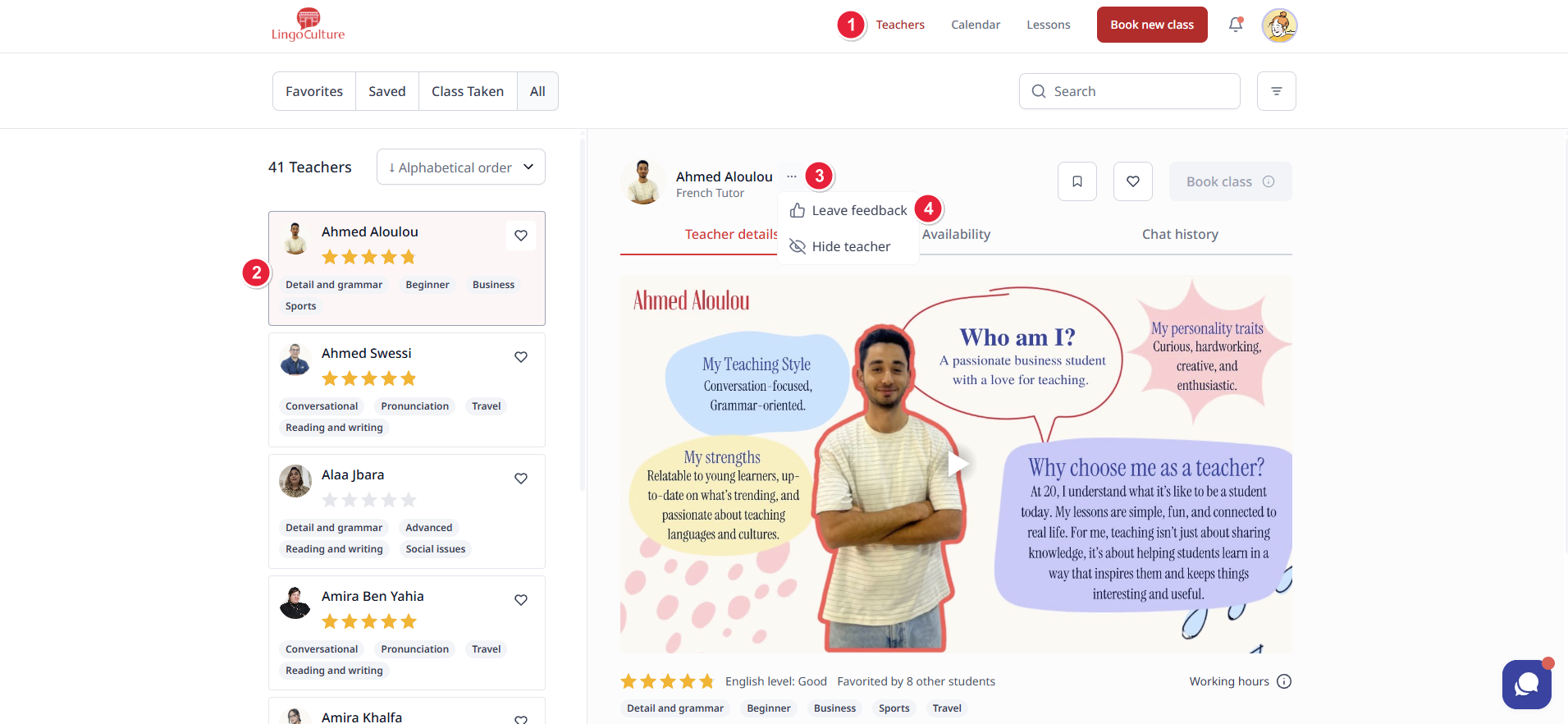
Option 2: From the Teacher’s Profile
- Go to the “Teachers” section.
- Select the teacher you want to leave feedback for.
- Click the three dots next to their name.
- Choose “Leave Feedback.”
You’ll also receive a gentle email reminder if you haven’t left feedback yet - because we care, and we genuinely want to hear your thoughts.
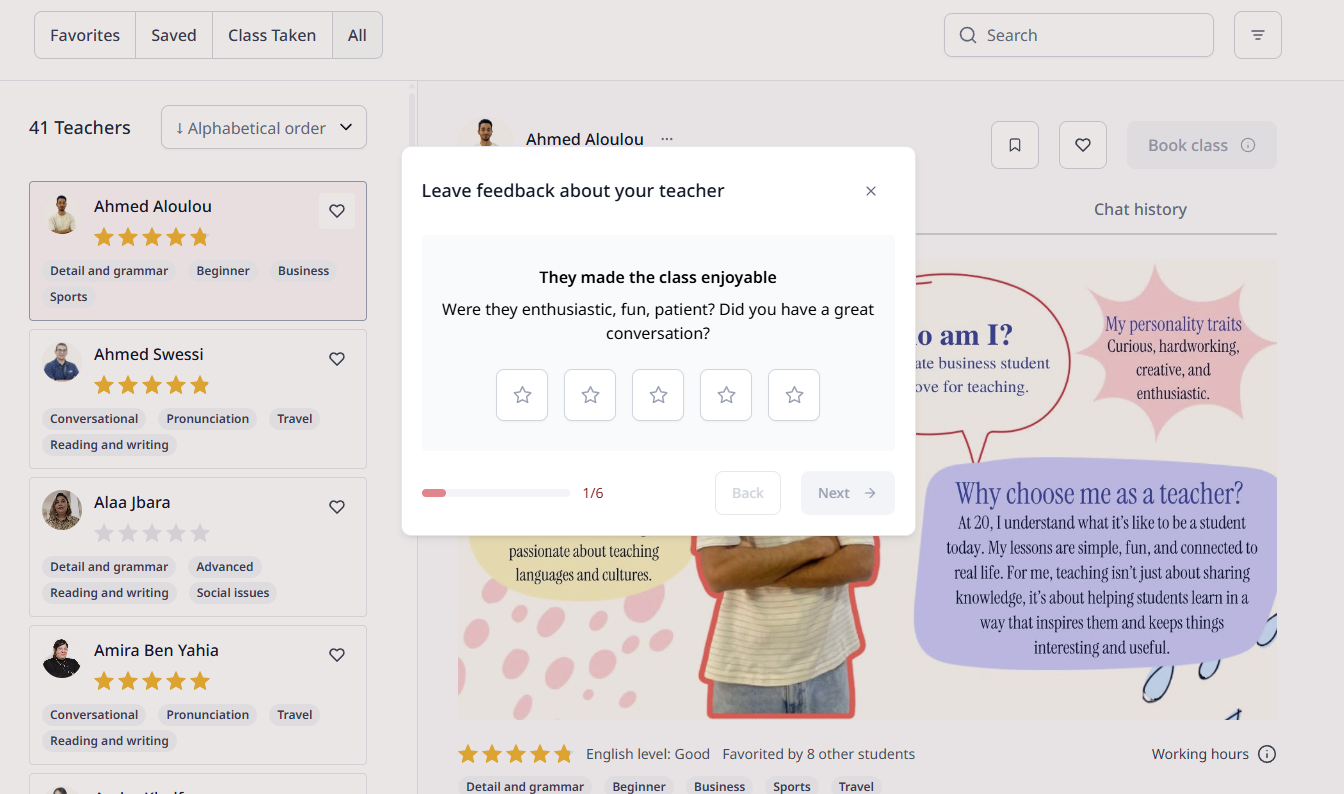
🧠 What Should I Say?
Anything that feels true to your experience. For example:
- What you loved about the class
- What could be improved
- How the teacher responded to your preferences
- Whether you felt heard, supported, or challenged
We don’t jump to conclusions or punish teachers based on one comment. (We promise, no trapdoors or surprise quizzes.) Instead, our team meets, reviews the feedback, and works with the teacher to find the best resolution for each case.
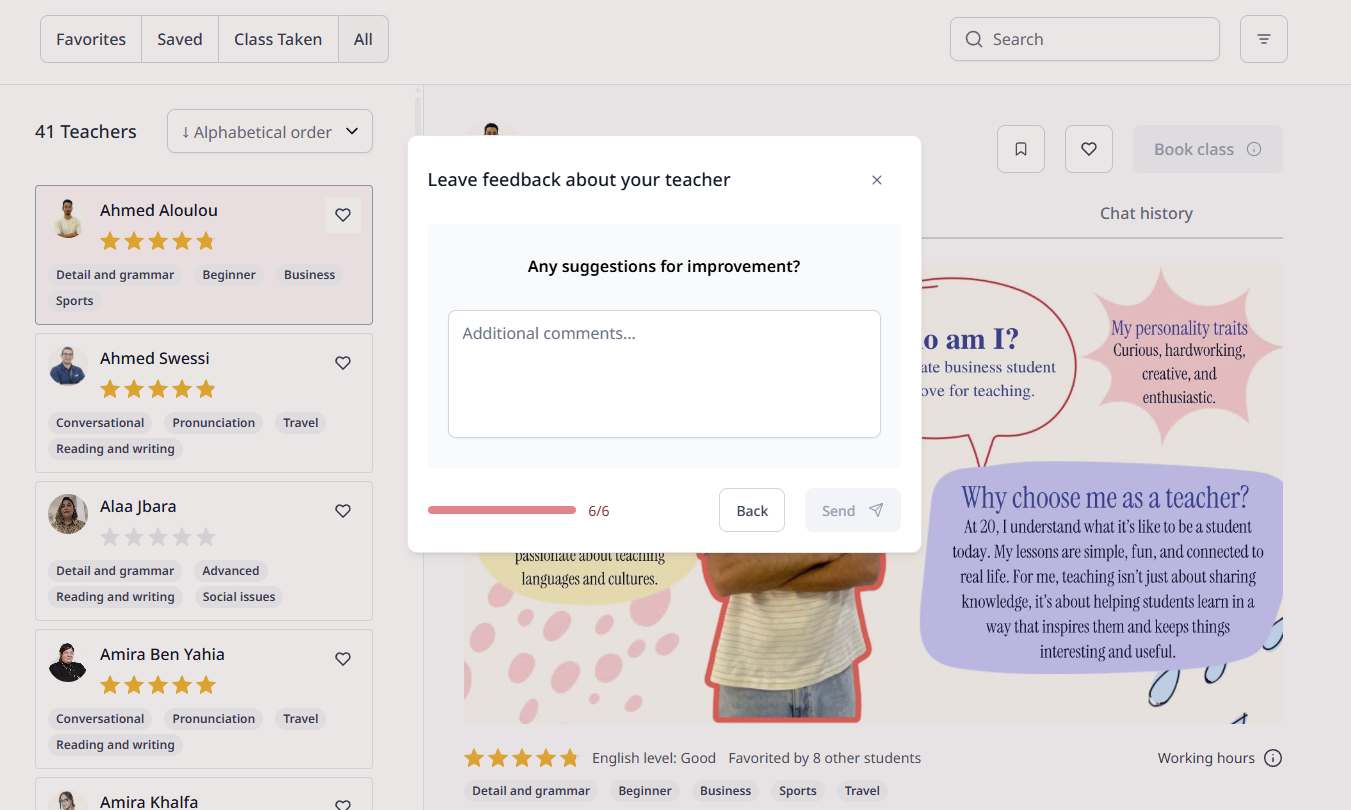
Your voice shapes LingoCulture. Don’t hold back, we’re listening, and we’re grateful.
