Want to share something with your teacher, ask a question, or request materials? You have three ways to contact your LingoCulture teachers, each designed for different situations. Restons en contact! (Let's stay in touch!)
The 3 Ways to Contact Your Teacher
-
Method 1: Message before class (for lesson planning)
-
Method 2: Chat History inside the platform (for notes and reviews after class)
-
Method 3: Contact Support (for urgent requests or technical help)
Method 1: Message Before Class
Best for: Sharing lesson goals, topics you want to focus on, or special requests before your upcoming class.
Quick steps:
-
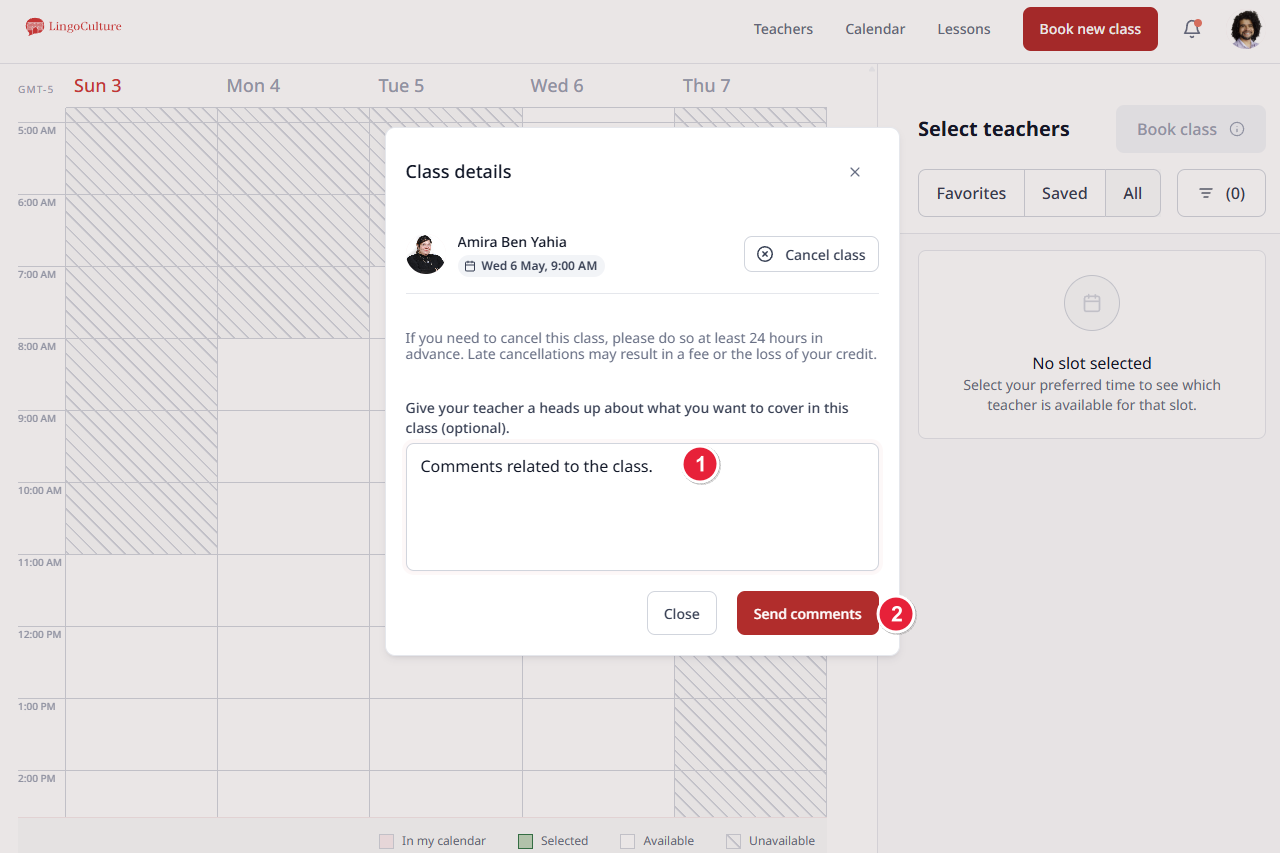
Go to the Calendar tab
-
Click on your booked class slot
-
Type your message in the pop-up window
-
Send comments!
Method 2: Chat History
Best for: Reviewing notes after class, accessing AI-generated summaries, and ongoing communication with teachers you see regularly.
Where to find it:
-
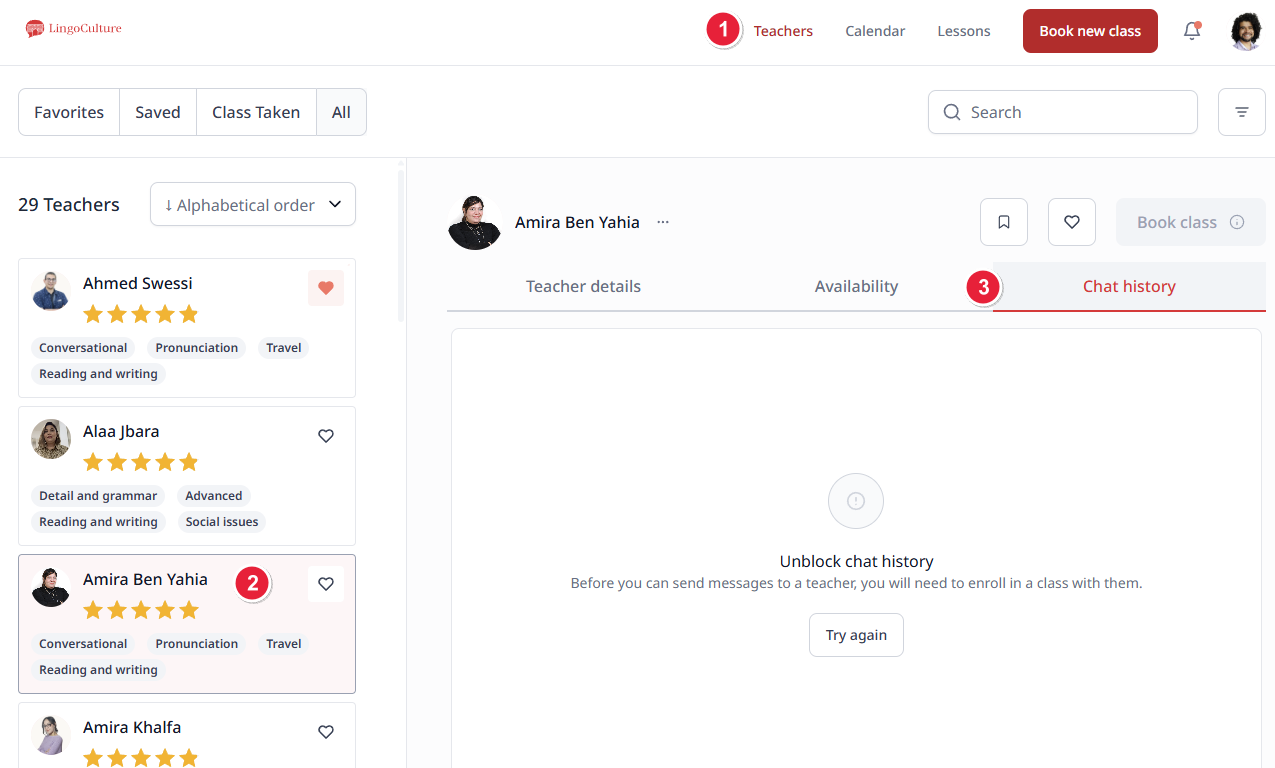
Go to the Teachers tab (top right corner)
-
Find and click on the teacher you want to contact
-
In their profile, click "Chat History"
Method 3: Contact Support
Best for: Urgent requests, sending materials to teachers, technical issues, or when you need a helping hand facilitating communication.
-
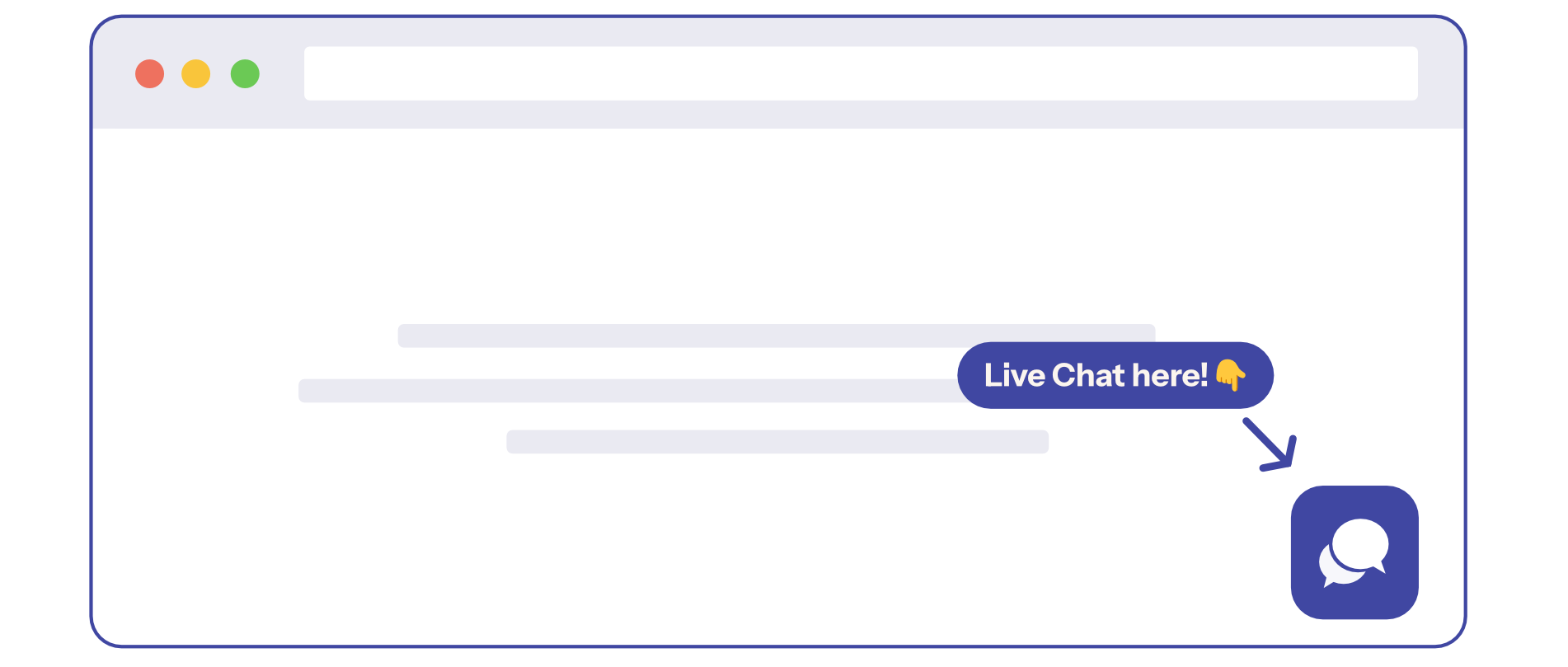
Live Chat: Click the chat bubble in the bottom right corner of the platform
-
Email: [email protected] or [email protected]
Quick Reference Guide
|
Situation |
Best Method |
|
Plan your next class |
Method 1: Pre-class message |
|
Review notes from a past class |
Method 2: Chat History |
|
Urgent help or materials needed |
Method 3: Contact Support |
Still need help?
-
Talk to us: Click the Chat Bubble in the bottom right corner or email bonjour@lingoculture or [email protected].